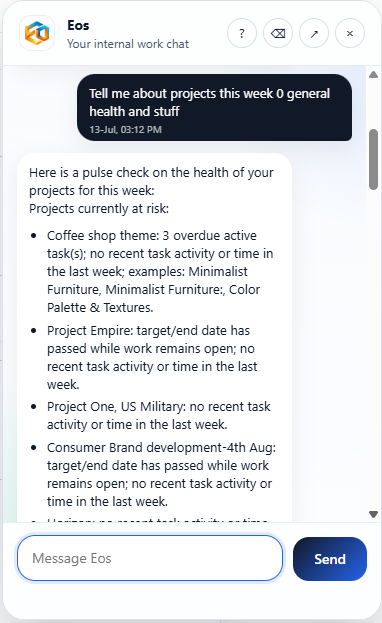
Eos conversations do more than generate text. They help teams ask for updates, create follow-through, explain status, and trigger useful work against live projects, tickets, billing, and operational data.
Users can ask for status, summaries, next steps, or actions naturally instead of learning filters, reports, or technical syntax.
Conversations reflect real work and business records rather than generic chat with no operating context behind it.
Use conversations to trigger follow-up, prepare updates, route tasks, or kick off agent-driven execution when the moment calls for it.
Teams should be able to interact with the system the same way they already think and speak. Eos turns that into something useful by connecting conversations to work, permissions, workflow state, and known actions.
Get answers faster, request changes more naturally, and spend less time navigating through separate screens to find or trigger the right thing.
Make the platform easier to adopt because people can simply ask for what they need instead of being trained on a new UI for every workflow.
The strongest experience comes when teams can talk to the system naturally and trust the execution that follows.