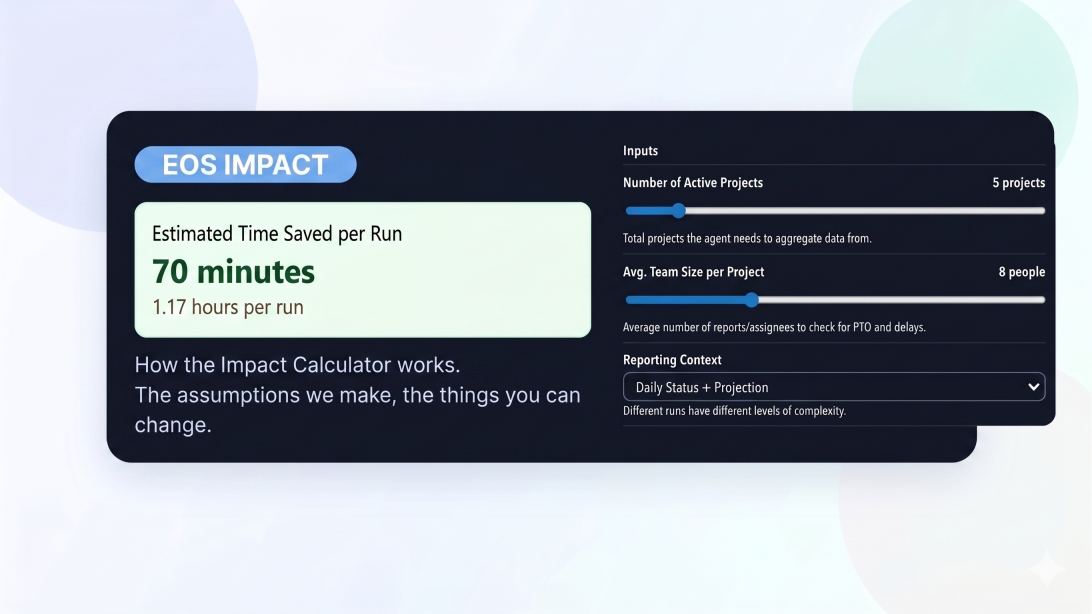
An honest look at what the Impact tab is doing, how the calculator works, and where the estimate is useful versus where it can still be wrong.
One of the most practical questions people ask about automation is simple: how much human effort is this actually saving? In Eos, the Impact tab on Edit Agent is our attempt to answer that in a way that is visible, adjustable, and grounded in the actual workflow the agent is meant to run.
The feature itself is a calculator, not a hidden score. When an agent is compiled, Eos generates an impact model for that specific agent. In the tab, you can then work with that model directly. Depending on the agent, you may see moveable sliders, number inputs, toggles, dropdowns, and sometimes preset scenarios. As you change those inputs, the estimated time saved updates immediately. We also show the pieces that make up the total, so you can see the breakdown instead of just being handed one big number.
At its core, the Impact tab is estimating human time saved per run. The model usually considers parts of work like manual review, navigating across systems, copying and pasting information, drafting summaries, sending follow-ups, and other coordination overhead that the agent may reduce or remove. If the agent runs on a schedule, Eos also rolls that estimate up into weekly and monthly hours.
That means the number is mostly about time, not total business value. An agent may save only a few minutes but reduce errors dramatically. Another might save more time but still require close human supervision. We try not to blur those things together.
We make a few simplifying assumptions on purpose. We assume the workflow can be broken into understandable parts. We assume a typical run is representative enough to model. And we assume the work being saved can be approximated with a small set of inputs instead of a perfect simulation of real life.
That keeps the calculator usable, but it also means the estimate can be wrong. If the workflow is messy, highly variable, or depends heavily on human judgment, the model may overstate or understate the savings. It can also miss cognitive load: some work looks short on paper but is mentally expensive, while some work looks long but is already very streamlined for an experienced operator.
We do not think of the Impact tab as a source of absolute truth. We think of it as a structured way to have a more honest conversation about effort. The goal is not to pretend we know the exact answer. The goal is to make the estimate explicit, let people challenge the assumptions, and give teams a better starting point than hand-waving.
If the estimate feels high, change the inputs and see why. If it feels low, check whether the model is missing some manual coordination you know the team deals with today. The right use of the feature is not blind trust. It is informed adjustment.
If you want to understand how Eos agents are built and why the system can estimate their impact at all, start with our guide to plain-English workflows.