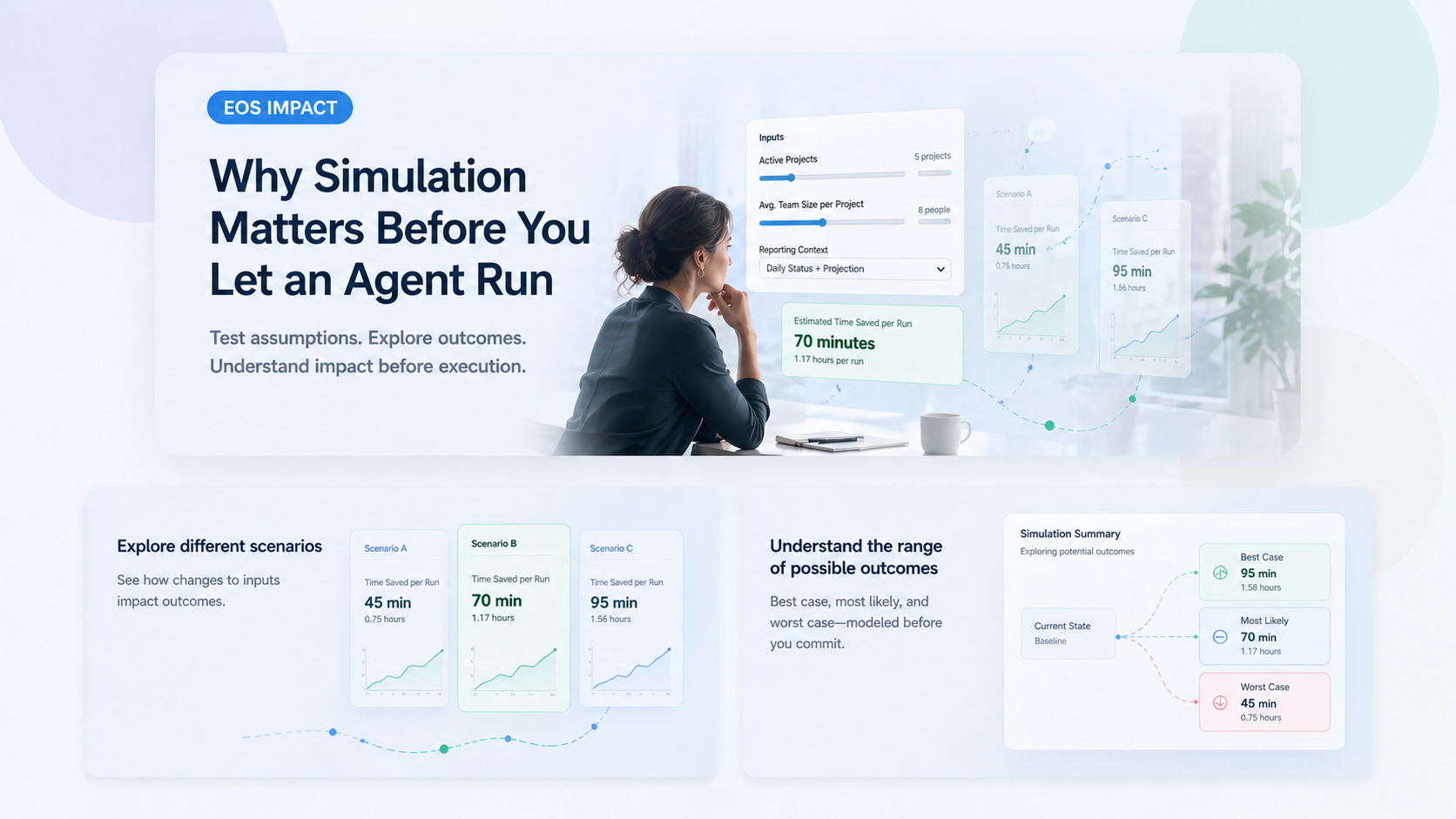
Even the best-designed system needs a safe way to rehearse. Here is why simulation matters, what other industries have taught us about it, and how Eos lets teams preview agent behavior without touching production data.
There is a comforting myth in business technology: if you design something carefully enough, you should be able to trust it completely.
In reality, good design reduces risk. It does not eliminate it. A process can be well thought through, the rules can be sensible, the people involved can be experienced, and still, once the thing actually runs in the real world, something can go sideways. The wrong person gets copied. The wrong records get updated. The message is technically correct but lands badly. A workflow that looked obvious on paper behaves differently at full speed, with real data and real timing.
That is why simulation matters. Not because the system is broken. Not because the people who designed it were careless. But because the real world always contains more complexity than the diagram.
One of the clearest examples comes from aviation. Pilots do not train only by reading manuals. They spend time in flight simulators, where they can rehearse normal procedures, unusual conditions, and outright emergencies without putting a plane, passengers, or crew at risk.
No one looks at that and says, “If the aircraft was designed well, why would you need a simulator?” The answer is obvious. Because flying is important. Because conditions change. Because even great systems need practice before live execution. Because when the real thing starts moving, the cost of finding a mistake is much higher.
Healthcare does something similar. So does manufacturing. So does finance. The more important the outcome, the more valuable it becomes to test behavior safely before it affects real people, real money, or real operations.
Business automation often skips this step. A workflow gets designed, approved, switched on, and then everyone hopes it behaves the way they pictured it. Sometimes it does. Sometimes it mostly does. Sometimes it creates one of those awkward Monday-morning situations where the system was only “following instructions,” but the result is still something a human now has to clean up.
That is especially true with agents, because agents are not just passive screens. They do things. They read information, make decisions, prepare updates, send messages, and move work forward. That is exactly why they are useful. It is also exactly why simulation is so valuable.
Simulation is not just about catching bugs. It is about building confidence.
Before running something live, most professionals want to know a few practical things:
A good simulation mechanism gives you a place to answer those questions before they become production facts.
In Eos, we use this same principle for agents. You can simulate what an agent would do without letting it make live changes to production data or send real outbound communication.
That matters because an agent in Eos is not a vague idea. It is an actual workflow. It may review tickets, update project records, prepare follow-ups, assign work, or coordinate information across areas of the business. Those are exactly the kinds of actions you want to validate before saying, “Yes, go do that for real.”
When you simulate an agent in Eos, the system still runs the logic. It still uses current context. It still works through the flow. But instead of writing changes live or delivering messages for real, it stages those effects for review.
The useful part is not just that the live system is protected. The useful part is that you can inspect what would have happened.
For example, a simulation can help you review:
That turns simulation into a management tool, not just a safety feature. It helps teams fine-tune automation before it becomes part of everyday operations.
You do not need to be a developer to appreciate this. In fact, non-technical teams often benefit from simulation the most.
If you are in operations, service delivery, finance, customer support, HR, or project management, you usually care less about the internal mechanics and more about the practical business question: “If I turn this on, what is it actually going to do?”
Simulation answers that in plain business terms. It gives you a chance to review behavior before you put your name behind it. It makes automation easier to trust because it makes automation easier to see.
Simulation is not just for day one. It becomes even more valuable when an agent changes.
Maybe you edit the intent. Maybe the workflow grows. Maybe the business rule changes. Maybe you connect the agent to a new area. Each of those changes can seem small in isolation, but together they can change behavior in ways that are easy to miss.
Running a simulation after a change is the operational equivalent of saying, “Let’s rehearse this once before we go live again.” That is not hesitation. That is professionalism.
The strongest systems are not the ones that assume they will always be right. They are the ones designed to make safe checking easy.
That is what simulation is really about. It respects the fact that good automation still deserves review. It acknowledges that business workflows are important enough to rehearse. And it gives teams a better way to adopt agents: not as a leap of faith, but as a controlled step forward.
That is why we built simulation into Eos agents. Not because we expect chaos. Because we expect reality.
If you want to understand how Eos agents are described in plain English and why simulation fits naturally into that model, start with our guide to workflows in Eos.